
SELECTO AI GALLERY
Selecto AI Gallery™ V7.0 PRO
Selecto AI Gallery™ V7.0 PRO

T.R. Manasiya
Founder & Inventor
SELECTO AI GALLERY™
Banaskantha, Gujarat, India
Official Android App Download
Testing APK distributed outside Google Play. Android may show an installation safety notice.
Multi-day weddings. Smart folders. Relationship tags. Album Testing. Digital approval — all offline after one gallery download.
Built for busy studios that need a professional client workflow — from photo selection to album markup to client approval — without WhatsApp chaos.
Real offline gallery — download once, then work even in Airplane Mode.
Many weddings happen where internet is weak or unreliable. Selecto AI Gallery™ V7.0 is offline-first — so client selection continues smoothly after delivery, with no dependency on cloud browsing.
Deliver the gallery once. After that, clients view, zoom, favourite, and select fully offline — without buffering, website login issues, or data concerns.
Families review together on mobile or desktop — zoom, star favourites, and shortlist — without endless WhatsApp file forwards.
High-resolution originals never leave your studio PC. Clients receive a compressed offline HTML gallery built for selection — not full-resolution cloud upload.
Lightweight galleries (for example, large wedding sets compressed for practical sharing) help clients browse comfortably and return a clear selection to your studio.
Open the real demo gallery — 1,700 photos · 12 folders · ~80 MB. Download once, then work offline (even Airplane Mode). No installation required.
Built from 22+ years of wedding photography field experience — designed to replace WhatsApp chaos, slow selection, and internet dependency during client review.
The demo shows the client experience — not internal product mechanics. Results vary by wedding size and studio process.
Many photographers want to see the workflow before committing. We offer a guided live demo first focused on how Selecto AI Gallery fits your studio — not on internal technical details.
License activation and next steps begin only if you decide the product fits your workflow after the demo. There is no obligation — our focus is on helping photographers run a smoother client selection process.
Selecto AI Gallery is a patent-pending offline gallery system for professional client photo selection workflows. Recipients receive an offline photo gallery that works on Windows 10, Windows 11 and Android phones via Chrome or Firefox browser, allowing viewing and selection after receiving the gallery — no internet required for browsing during review.
It is designed to support privacy-aware workflows: offline-friendly viewing, studio-side control, and structured selection delivery.
Based on anonymized validation records from real studio workflow trials.
Built from practical wedding delivery experience — focused on selection speed and studio coordination.
Works offline after the gallery is delivered. Internet is required only to send the gallery file.
Patent-Pending Technology – Indian Patent Application No. 202521102243
From gallery creation to client selection — designed for offline delivery.
Generate a compressed offline HTML gallery from your wedding photos on Windows.
Share the gallery package via WhatsApp, Drive, or email. Originals stay on your studio PC.
Clients browse on mobile or desktop in Chrome/Firefox — select, favourite, and filter without internet.
Receive a clear selection back into your studio workflow for album and print work.
Designed for wedding workflows where internet connectivity is often limited. One offline selection system for studios, designers, and labs.
Offline HTML wedding galleries for professional studios. Full BASIC and PRO feature lists are on a dedicated page.
Generate lightweight offline galleries. Clients open them in Chrome or Firefox — no app install.
Practical gallery sizes for large wedding sets so delivery and browsing stay fast and reliable.
High-resolution files stay on your studio PC. Clients receive a selection-ready compressed gallery.
Select, favourite (star), filters, live counters, and smooth zoom viewing on mobile and desktop.
Present a professional branded experience with your studio identity on every gallery.
Trademark-protected brand with license verification and secure offline activation workflow.
BASIC from ₹1,499 (1–3 PC). PRO Founder ₹1,999 for first 50 — then ₹2,999.
Need 3 PCs? Open Pricing → BASIC → 3 Activations ₹3,999.
Want PRO? Founder Offer ₹1,999 while seats last.
Windows desktop software for creating and managing offline wedding galleries. Download and activation via verified WhatsApp.
Professional desktop software to generate offline HTML galleries for BASIC and PRO workflows.
For licensing and compliance, download is provided via verified WhatsApp activation.
Activation required · Offline, license-based software
User guidance, video walkthroughs, and setup assistance for studios.
Create offline photo galleries with a Windows 10 & Windows 11 application. Setup steps depend on device and workflow.
Counts shown on this page refer to validation records (technology validators, not buyers). No endorsement is implied.
These are anonymized comments from real technology validators (studios & professionals) who tested Selecto AI Gallery in real wedding workflows.
"Offline browsing/selection reduced dependency on network availability during review."
"Selections were easier to consolidate because the output list was structured."
"Workflow controls and technical audit records were useful for internal review and verification."
"Even in a low-connectivity area, the client completed the full selection from home without issues."
"After the client submitted their selection, album design moved much faster with less manual sorting."
Context: High photo count across multiple events.
Context: Destination wedding with weak mobile network.
Selecto AI Gallery is a workflow-focused platform to help wedding photographers manage client photo selection more efficiently.
Selecto AI Gallery is actively used by real studios across multiple Indian states for offline wedding photo selection.
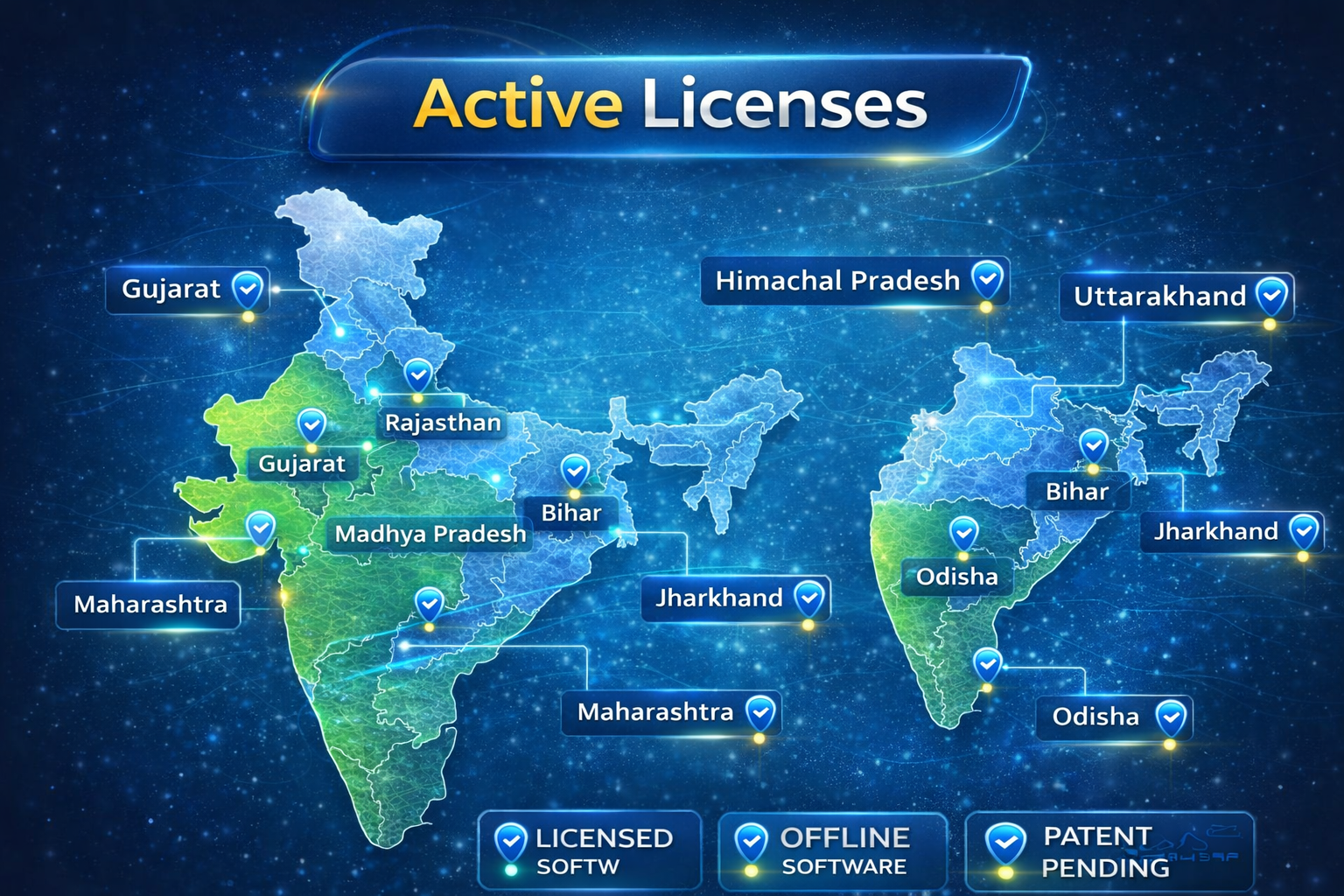
India map showing current active Selecto AI Gallery states.
Photographers across India use Selecto AI Gallery for offline, structured wedding photo selection workflows.
Recipients can review offline, which may reduce avoidable follow-ups depending on workflow.
Structured selection and offline browsing can reduce friction during review.
Clear client selections support smoother handoff to printing and album workflows.
Standardized review experience can reduce ambiguity in selection handoff.
Short walkthrough video (for information only)
Public demos and updates (informational; no endorsement implied).
All short videos, meeting demos and client review videos in one place
Watch All Videos →Yes. After you deliver the gallery once, clients view and select photos fully offline. Internet is only needed to send the gallery (WhatsApp, Drive, or email).
No. Clients open the offline HTML gallery in Chrome or Firefox on mobile or desktop — no Play Store installation required.
Original high-resolution photos remain on the studio PC. Clients receive only a compressed offline gallery for selection.
See the full feature lists and comparison on the dedicated page: V7.0 PRO feature benefits →
Studios and clients can share real feedback about Selecto AI Gallery to help us improve the offline selection experience.
Use our Google feedback form to share your experience, suggestions, or issues. This helps us understand real-world usage across India.
Open Google Feedback FormThis will open a Google Form in a new tab.
Type your feedback or comments here. You can copy this text and send it via WhatsApp or email support.
For now this box is for writing and copying feedback. To send it, use the Email or WhatsApp support options below.
Quick response on WhatsApp
Selecto AI Gallery is designed to provide structured remote activation and onboarding support.
Validation evidence refers to technology validation usage records (technology validators, not buyers). Validation records are kept for patent-pending workflow review. No sales or endorsement implication is made.
Detailed technical evidence is available on request for qualified validation and legal review — not published as a public system blueprint.
Call / WhatsApp
+91 9601546591
Location
Gujarat, India
© Selecto AI Gallery. All rights reserved. Patent Pending 202521102243
Selecto AI Gallery is a patent-pending technology (Indian Patent Application No: 202521102243). The software is designed for professional wedding photo selection using offline galleries. Current compatibility includes Windows 10, Windows 11 and Android phones via Chrome or Firefox browser. Features and compatibility may change as the product is updated. All brand names and product names are the property of their respective owners.